

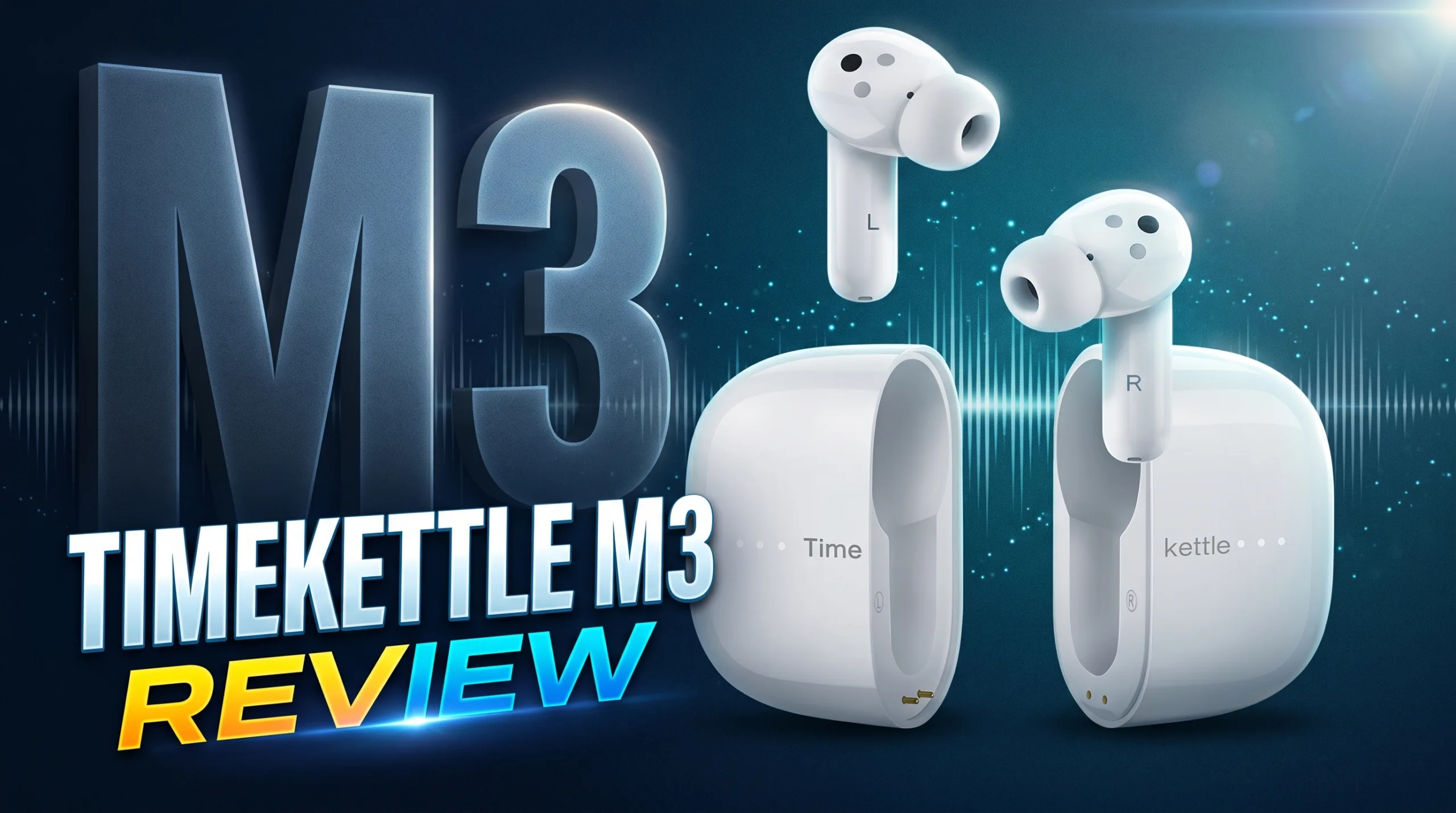
For years, travelers have shared the exact same sci-fi fantasy: hopping on a flight to Tokyo, Rome, or Beijing with just a tiny earpiece in your ear, walking through foreign streets, and understanding every single person without speaking a word of their language.
Until recently, that dream was a frustrating mess. You either had to pull out Google Translate and awkwardly shove your phone into a stranger’s face, or shell out over $300 for high-end professional interpreter hardware like the Timekettle WT2 Edge.
That is where the Timekettle M3 steps in.
Priced around $120 / ~€115, the M3 costs less than half the price of the WT2 Edge. But here is the real kicker: it doesn’t just translate speech—it doubles as a legitimate everyday pair of wireless earbuds with active noise cancellation (ANC) and 7.5 hours of continuous battery life.
Can a $120 pair of hybrid earbuds actually save you from getting lost overseas, or does the budget price mean too many compromises? I took a deep dive into its three core translation modes, app controls, music playback, and real-world travel limitations. Here is the unfiltered truth.
⚡ Quick Verdict: Should You Buy the Timekettle M3?
Overall Score: 8.8 / 10 — Best Value All-in-One Travel Earbud
The Timekettle M3 strikes the sweetest balance between functional foreign language translation and everyday wireless audio. While it lacks the simultaneous hands-free talk of the $320 WT2 Edge, its magnetic split case, solid ANC, and punchy 10mm drivers make it the definitive choice for solo backpackers and budget travelers.
- Buy if: You want an affordable travel companion that handles foreign dining, museum tours, and street directions while doubling as your daily Spotify earbuds.
- Skip if: You need high-stakes, simultaneous business negotiation translation where both people talk over each other without pressing buttons.
Timekettle M3 Hardware Specifications
| Specification | Hardware Detail |
|---|---|
| Acoustic Driver | 10mm High-Precision Dynamic Drivers |
| Bluetooth & Codecs | Bluetooth 5.2 (AAC, SBC Support) |
| Active Noise Cancelling | Up to 30 dB Active Acoustic Reduction |
| Translation Engine | Timekettle Hybrid Cloud (40 Languages, 93 Accents) |
| Continuous Playtime | Up to 7.5 Hours (Music & Translation) |
| Total Playtime with Case | Up to 24 Hours Total (Approx. 2.5 Recharges) |
| Recharge Duration | Approx. 75 Minutes via USB Type-C |
| Fit Architecture | In-Ear with Soft Silicone Ear Tips (2 Sizes) |
| Weight per Earbud | ~4.8g (Extremely Lightweight) |
- Excellent value at $120 (less than half the price of the WT2 Edge).
- Genius magnetic split-case design makes sharing hygienic and natural.
- 7.5 hours of continuous battery life easily covers long flights.
- Punchy 10mm dynamic drivers deliver enjoyable everyday music sound.
- Listen Mode with 1.2x playback speed is brilliant for foreign lectures & tours.
- Effective 30 dB active noise cancellation.
- Half-duplex only (requires tapping to speak; no simultaneous talk).
- Charging case pins can occasionally require repositioning to charge.
- Base model does not include offline language packs ($9.99/pair extra).
- Only 2 ear tip sizes provided in the box.
The Design: That Clever Magnetic Split-Case
The first thing that grabs you about the Timekettle M3 is the charging case. It isn’t just a standard flip-top capsule like an AirPods case.
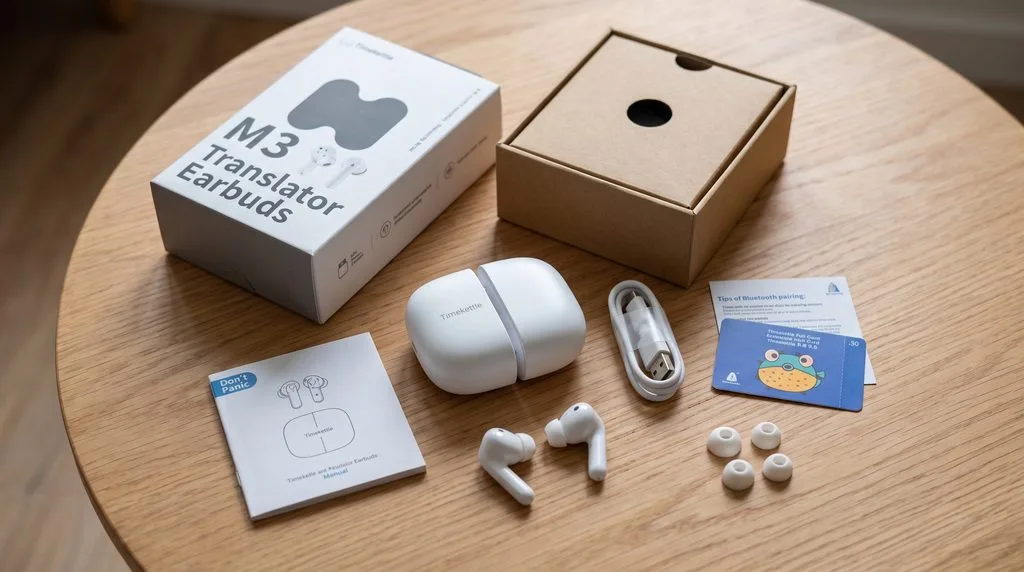
The case physically splits completely in half down the middle using strong internal magnets.
Why did Timekettle design it this way? Because it solves the awkwardness of sharing personal tech.
When you want to have a sit-down conversation with someone who speaks Spanish, Italian, or Japanese, you don’t fish an earbud out of a shared case and hand them a naked piece of plastic. You literally pull the case apart, hand them their own magnetic half with their earbud inside, and keep your half. It feels deliberate, hygienic, and surprisingly polished.
Snapping the two halves back together gives a very satisfying, solid magnetic snap.
Earbud Fit & Daily Ergonomics
The earbuds themselves look slightly bulkier than early generation AirPods, but when you pick them up, they are remarkably lightweight (~4.8 grams).
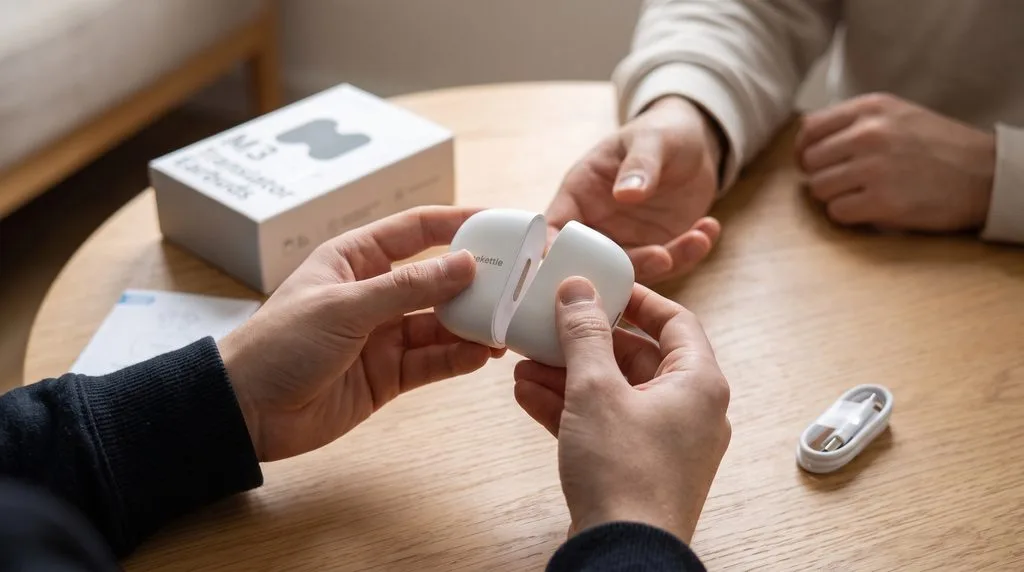
Unlike the WT2 Edge (which uses a hard, open-fit plastic design without silicone tips), the M3 features traditional silicone in-ear tips.
- The Benefit: You get a snug, comfortable acoustic seal that delivers passive noise isolation before you even flip on the ANC. I found I could wear them for three to four hours continuously without ear fatigue.
- The Catch: Timekettle only includes two sizes of silicone ear tips in the box. Most premium earbuds give you three or four sizes. If you have unusually small or large ear canals, you might need to swap in a pair of third-party silicone tips.
Real-World Translation: Testing the 3 Core Modes
To use the translation functions, you pair the M3 via Bluetooth, download the free Timekettle app (iOS / Android), and pick your mode.
The M3 doesn’t try to be a full-duplex simultaneous translator like the $320 WT2 Edge. Instead, it relies on a structured, half-duplex workflow that is tuned specifically for real-world travel situations:
- Touch Mode: 1-on-1 conversations (1 earbud each; tap stem to speak, tap to translate).
- Listen Mode: 1-way passive translation (lectures, TV, museum tours; audio straight to ears).
- Speaker Mode: Stranger interactions (you wear earbuds, phone speaks & listens for you).
Touch Mode (Best for 1-on-1 Discussions & Guides)
In Touch Mode, you wear one earbud and hand the other earbud to your partner.
Unlike the WT2 Edge where both people can talk over each other in real-time, Touch Mode works like a polite walkie-talkie or a Zoom call:
- You lightly tap your earbud stem (or press the microphone icon on the phone screen) and speak your sentence in English.
- The Timekettle engine processes your speech, and after a brief 0.5 to 1.5-second pause, the translated sentence plays clearly in their ear in their native tongue.
- When they want to reply, they tap their earbud, speak in Spanish or Japanese, and you hear fluent English in your ear.
Is it as lightning-fast as the WT2 Edge? No. But for having dinner with overseas friends, talking with a bilingual guide, or chatting with distant family members, the conversational flow is natural, respectful, and remarkably accurate.
Listen Mode (The Museum & Lecture Lifesaver)
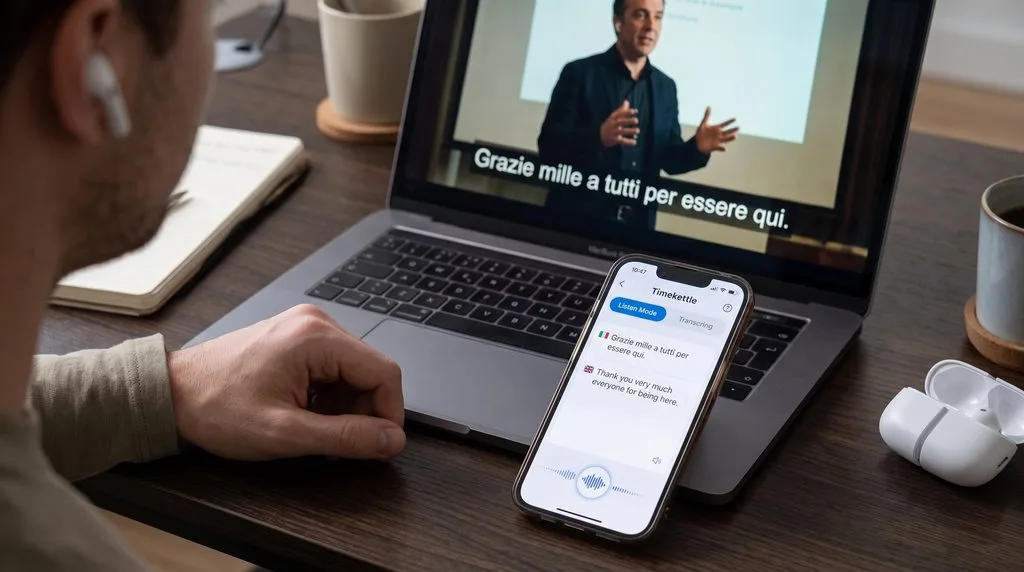
Listen Mode is arguably the M3’s most impressive solo travel feature.
Imagine sitting in a university lecture in Germany, taking a guided architectural tour in Rome, or watching a foreign news broadcast in your hotel room. You don’t want to hand an earbud to a speaker, and you don’t need to talk back. You just need to understand what is being said.
In Listen Mode:
- You keep both earbuds in your ears.
- You place your smartphone on the table near the speaker (or hold it toward the tour guide).
- The phone mic continuously listens to the foreign speech, displays a running live transcript on the phone screen, and feeds smooth English audio directly into your ears.
Two Essential Settings to Turn On:
- Pause Duration: If the person speaking talks fast or pauses erratically, you can tweak the pause duration setting so the translation engine accurately places sentence breaks and punctuation.
- 1.2x Playback Speed: Machine translation carries an unavoidable 1.5 to 2.0-second delay. Bumping playback speed to 1.2x helps the voice audio catch up faster, keeping you far more in sync with the live speaker.
Speaker Mode (The Real-World Street Saver)
Let’s be honest: if you are flagging down a cab at 11:00 PM in Madrid or trying to buy street food in Mexico City, you are not handing your personal earbud to a stranger.
Speaker Mode eliminates that hygiene hurdle entirely.
Here is how it works on the street:
- You keep both earbuds comfortably in your ears.
- You hold up your smartphone running the Timekettle app.
- When you speak into your earbud (“Can you tell me which platform the train to Florence departs from?”), your phone’s external loudspeaker immediately speaks Italian aloud to the stranger.
- When the station conductor answers into your phone, the app translates their voice and whispers clean English directly into your earbuds.
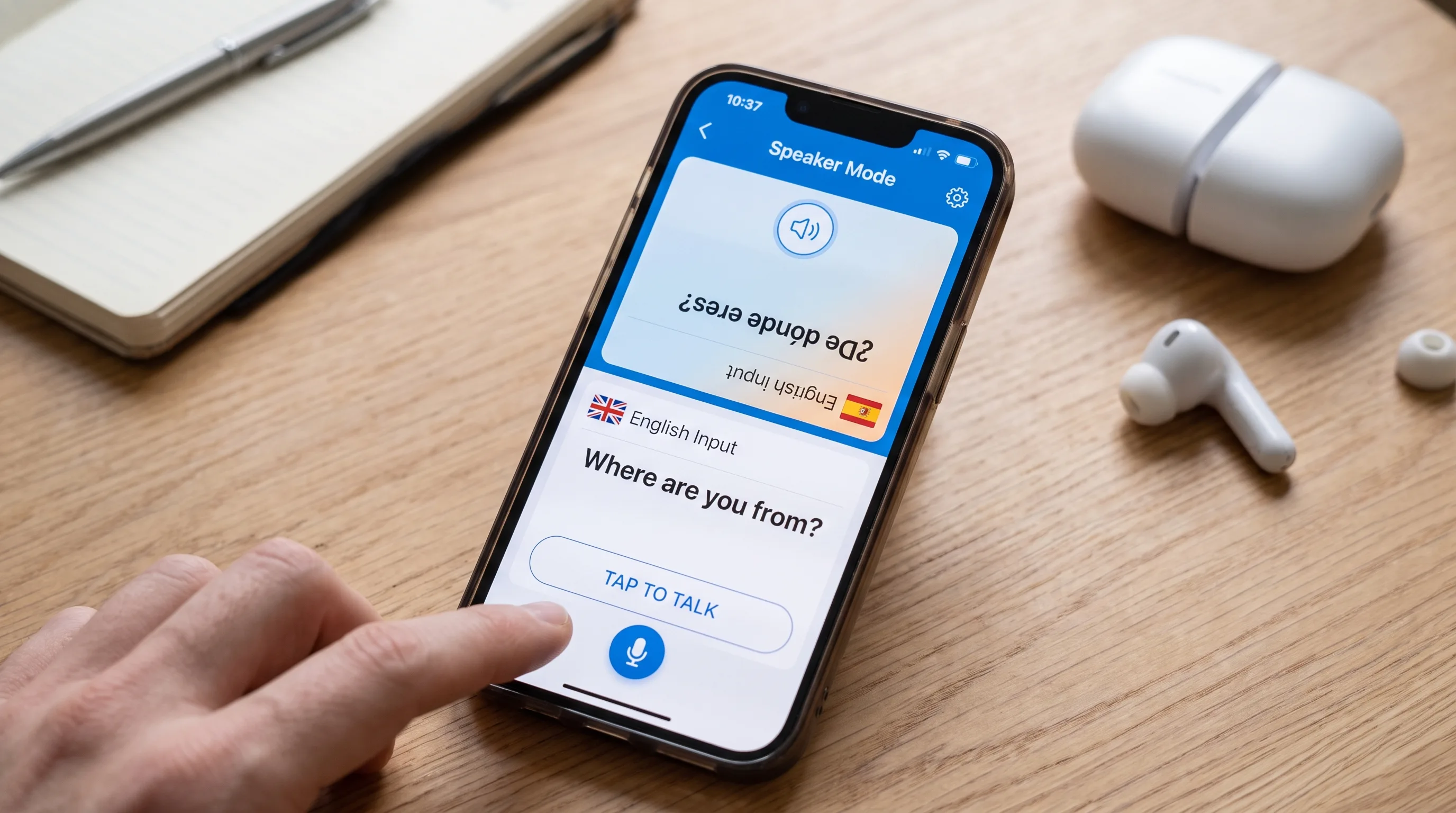
Even better, the app features an intuitive Split-Screen Mode: you orient the phone flat between you and the stranger. The top half faces them with large, readable translated text and a native language microphone button, while the bottom half faces you. If street traffic is too loud, they can simply read your question directly off the screen.
The Offline Reality: What About “Fish Coins”?
If you are traveling into remote areas or underground subway stations without cellular roaming, offline capability is critical.
Here is the one detail you must know before buying: the standard online version of the Timekettle M3 does not include unlimited offline language packs out of the box.
- Online Translation: Uses cloud servers pulling from Google, Microsoft, and DeepL engines. It covers 40 languages and 93 accents with stellar accuracy (~93–95%).
- Offline Translation: Requires downloading specific language pair packages locally onto your phone storage.
To activate offline language packs, you either need to purchase the dedicated M3 Offline Bundle, or buy individual language pairs inside the app. Each language pair costs approximately $9.99 (purchased either directly or via Timekettle “Fish Coin” scratch cards included with certain packages).
Important Pro-Tip: If you buy the standard M3, spend the extra $10 to download your destination country’s offline language pack (e.g., English-Spanish or English-Japanese) on your home Wi-Fi before heading to the airport. In offline mode, translation speed stays crisp (~0.6 seconds), ensuring you never get stranded when cell coverage drops.
Music Playback & Daily Calls: Can It Replace Your Regular Earbuds?
This is where the Timekettle M3 completely separates itself from the more expensive WT2 Edge.
The WT2 Edge is strictly an acoustic vocal tool—listening to music on it sounds flat, tinny, and lifeless. The Timekettle M3, by contrast, is built as a genuine 3-in-1 hybrid earbud (Translation + Music + Phone Calls).
- 10mm Dynamic Drivers: Equipped with 10mm drivers and AAC codec support, the M3 produces warm bass, clear midrange vocals, and decent treble sparkle. Are they on par with $300 Sony WF-1000XM5 audiophile monitors? No. But for Spotify playlists, YouTube videos, and podcasts on the plane, they sound surprisingly punchy and enjoyable.
- 30 dB Active Noise Cancellation: The built-in ANC does a respectable job damping low-frequency airline engine hum and train track vibrations. Combined with the passive seal of the silicone tips, it creates a peaceful listening bubble.
- 7.5-Hour Single-Charge Battery: The M3 delivers up to 7.5 hours of continuous listening on a single charge, expanding to 24 hours total with the magnetic case. That easily handles a cross-country flight without needing a mid-day recharge.
You can listen to your favorite Spotify playlist while riding the subway, step out into a bustling train station, open the Timekettle app, and immediately translate a ticket booth interaction without ever swapping earbuds.
Authentic Real-World Flaws: What Annoyed Me
No gadget is perfect, and at $120, the M3 has a few real-world quirks you need to keep in mind:
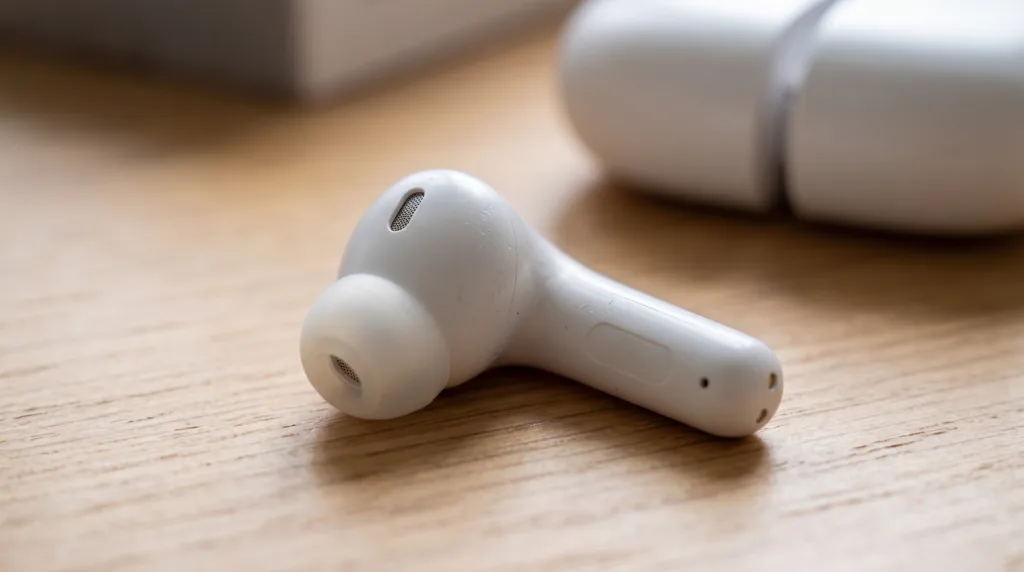
- Magnetic Charging Pin Seating Quirk: Occasionally, when dropping an earbud into its magnetic half-case, the charging pins don’t seat with 100% precision. You have to glance at the tiny green charging LED to verify it’s actually charging before slipping it into your pocket.
- Loud Crowd Mic Confusion: In extremely loud environments—like a packed Tokyo subway platform during rush hour—the dual beamforming mics can struggle to isolate your voice cleanly. In those scenarios, you will want to switch from Touch Mode to Speaker Mode and hold the phone closer.
- Only 2 Ear Tip Sizes in the Box: Timekettle really should have included small, medium, and large tips. If your ears don’t match the two provided sizes, you’ll want aftermarket silicone tips for the best ANC seal.
- Offline Packs Cost Extra: Having to pay ~$9.99 for offline pairs on the base version feels stingy, even if the hardware price is attractively low.
Timekettle M3 vs. Timekettle WT2 Edge: Which Should You Buy?
If you are trying to decide between Timekettle’s two most popular models, here is the honest head-to-head comparison:
| Comparison Metric | Timekettle M3 (~$120) | Timekettle WT2 Edge (~$320) |
|---|---|---|
| Primary Audience | Solo Travelers, Backpackers, Students | Executives, Bilingual Couples, Diplomats |
| Conversation Flow | Half-Duplex (Tap to speak / walkie-talkie) | Full-Duplex (Simultaneous natural speech) |
| Music Sound Quality | Good (10mm dynamic driver, warm bass) | Poor (Flat, vocal register only, thin bass) |
| Fit Architecture | In-Ear with Silicone Tips + 30 dB ANC | Semi-in-Ear Open Fit (No silicone, zero ANC) |
| Continuous Battery | 7.5 Hours (24 hrs with case) | 3.0 Hours (12 hrs with case) |
| Offline Language Packs | In-App Purchase (~$9.99 per pair) | Included with Offline Bundle |
| Price Point | ~$120 / ~€115 | ~$320 / ~€310 |
- Buy the Timekettle WT2 Edge if: You need seamless, non-stop conversation where both people talk naturally without tapping earbuds, or you conduct regular multi-person bilingual business meetings.
- Buy the Timekettle M3 if: You want a versatile, affordable travel companion that translates foreign languages dependably, lets you listen to music on long flights with ANC, and lasts 7.5 hours on a single charge for half the price.
Need a deeper side-by-side comparison? Read my comprehensive showdown: Timekettle WT2 Edge vs. Timekettle M3.
Final Verdict: Is the Timekettle M3 Worth It?
If you expect the Timekettle M3 to deliver frictionless, instantaneous simultaneous interpretation where you and another person can talk over each other in real-time, you will be disappointed—that kind of processing power belongs to the Timekettle WT2 Edge.
However, if you are looking for an affordable, multi-talented travel companion that eliminates the fear of traveling to foreign-speaking countries, the Timekettle M3 is an absolute triumph for $120.
It gives you three well-engineered translation modes, a clever magnetic split case for comfortable sharing, dependable offline backup, and enough battery life and sound quality to serve as your primary travel earbuds.
For solo adventurers and budget-minded travelers, it earns my highest recommendation.
Check Current Price on Amazon →
FAQs
How does Listen Mode work on the Timekettle M3?
In Listen Mode, you wear both earbuds and place your smartphone near the person speaking (or near a foreign TV/radio). The phone's microphone continuously captures their voice, translates it in real time, and beams the English audio directly into your earbuds while showing a running text transcript on your screen.
Do I have to pay extra for offline translation on the M3?
On the base version of the M3, offline language packs are not included by default. You can purchase specific language pairs inside the Timekettle app for roughly $9.99 each (or buy the M3 Offline version which includes pre-activated language packs).
Does the Timekettle M3 work with both iPhone and Android?
Yes. The companion Timekettle app is available for free on both Apple iOS (App Store) and Google Android (Google Play Store), connecting via standard Bluetooth.





[…] Price on Amazon → Read my full Timekettle M3 review → Compare WT2 Edge vs M3 →The Executive […]
[…] Timekettle M3 sits at a wallet-friendly ~$120 / […]